The
Problem
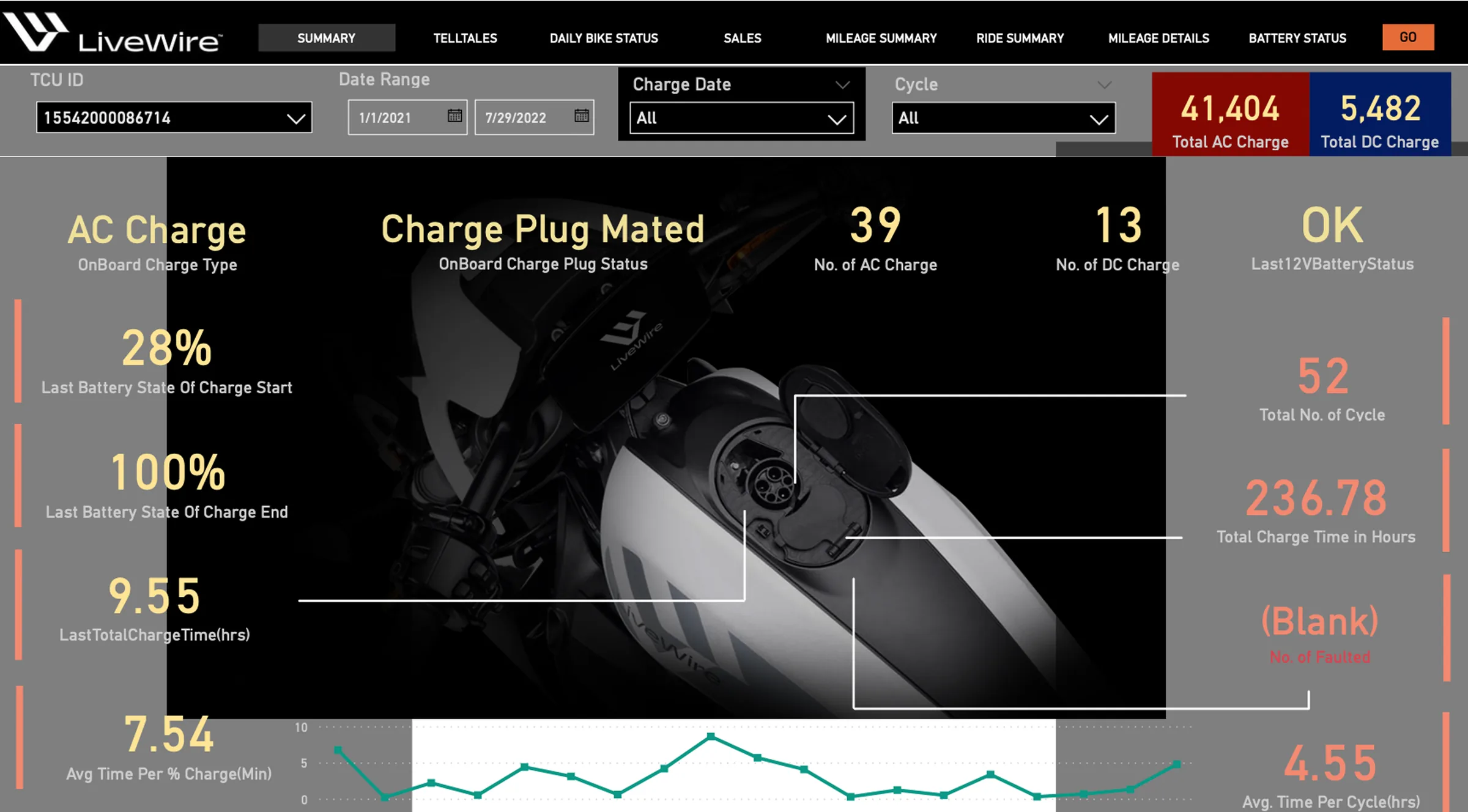
Outdated Power BI Interface
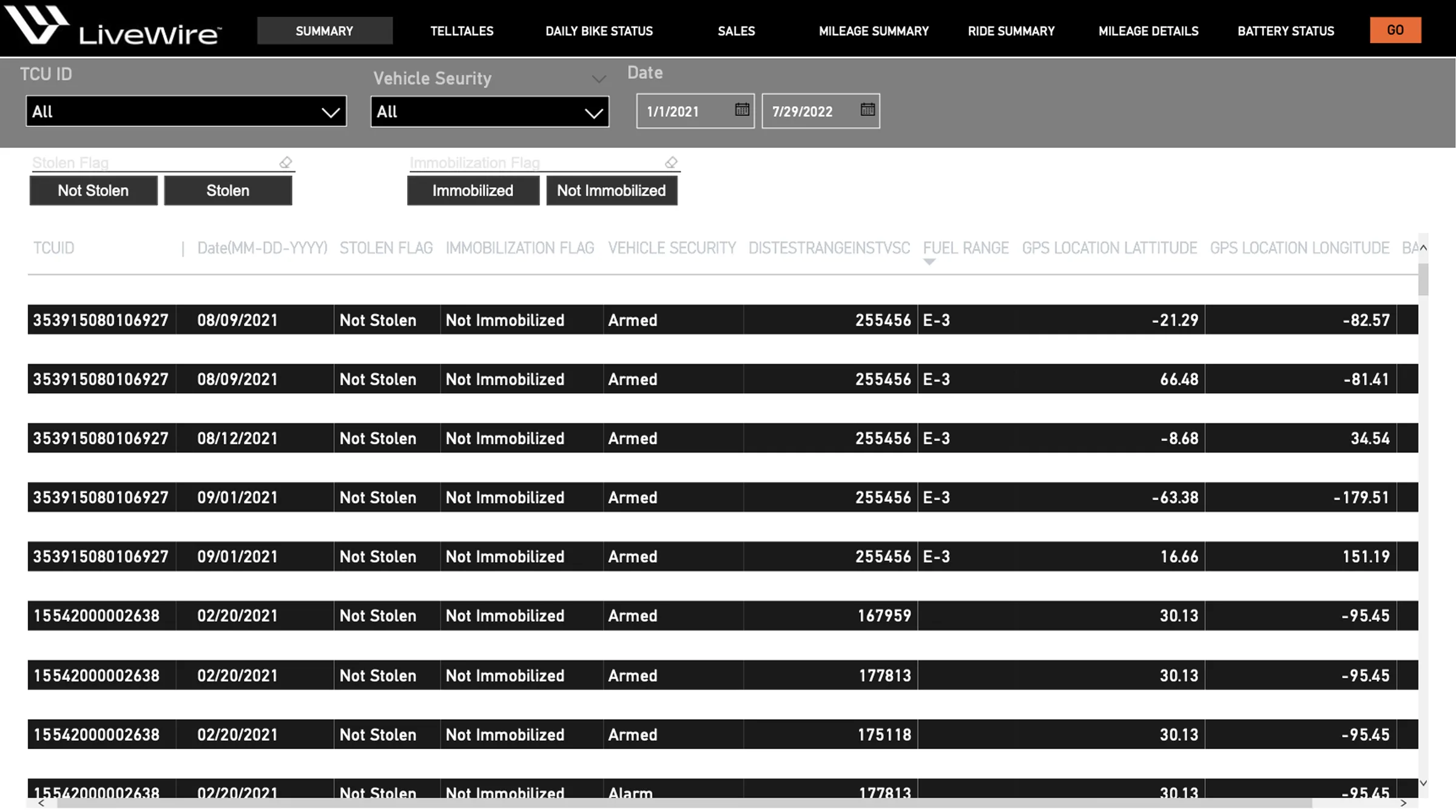
The original Livewire dashboard was created in Power BI, suffering from high cognitive load, unorganized tab clutter, and rigid iframe-style layout limitations. Monitoring live metrics required constant scrolling across flat tables, resulting in visual fatigue for operators seeking real-time telemetry.
Information Architecture & Customization
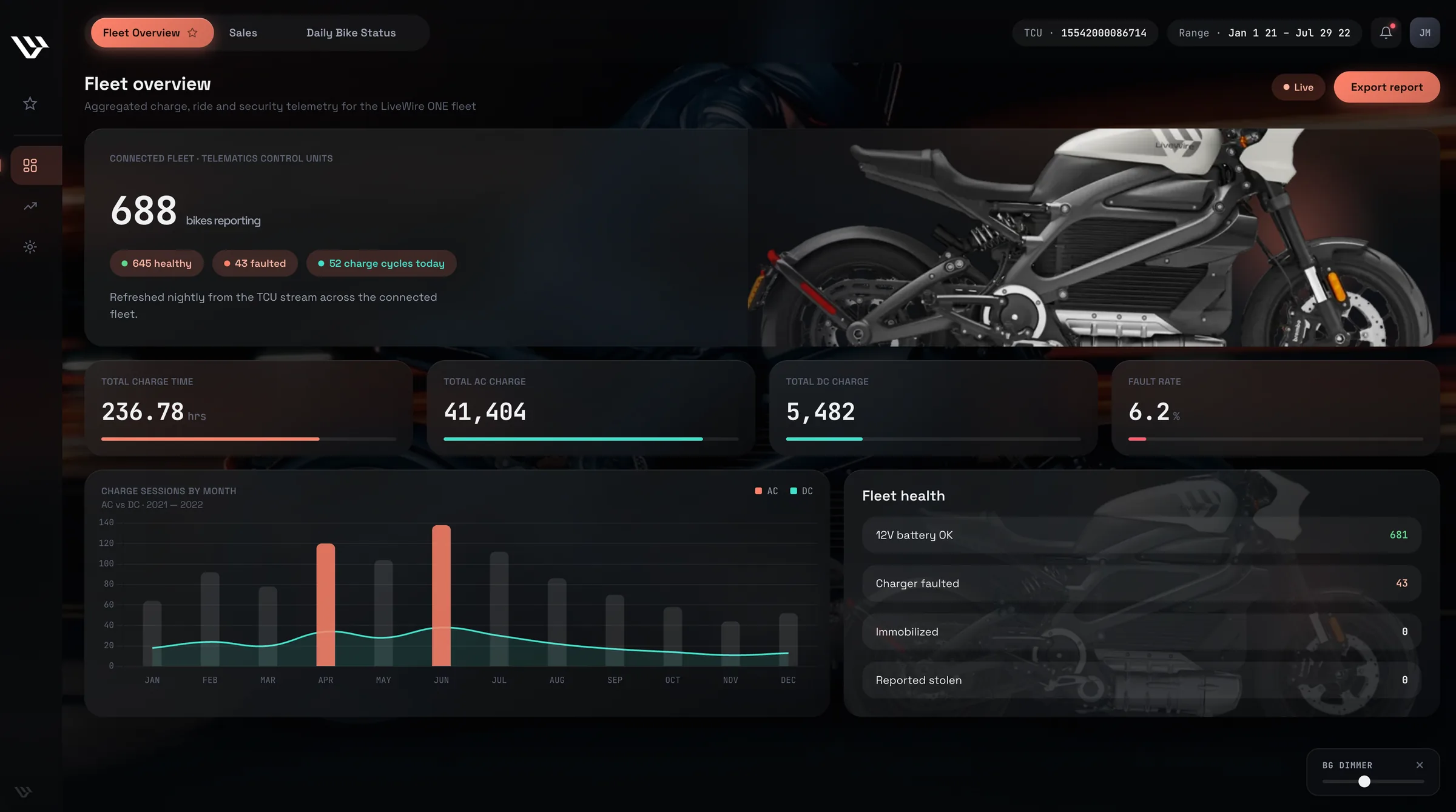
A primary challenge was organizing data density while providing personalization. To streamline daily workflows, we grouped scattered metrics into logical category tabs, added tab favoriting capabilities, and engineered a custom background dimmer so users can adjust the video intensity or hide it completely for an ultra-focused view.
Generative Motion Engineering
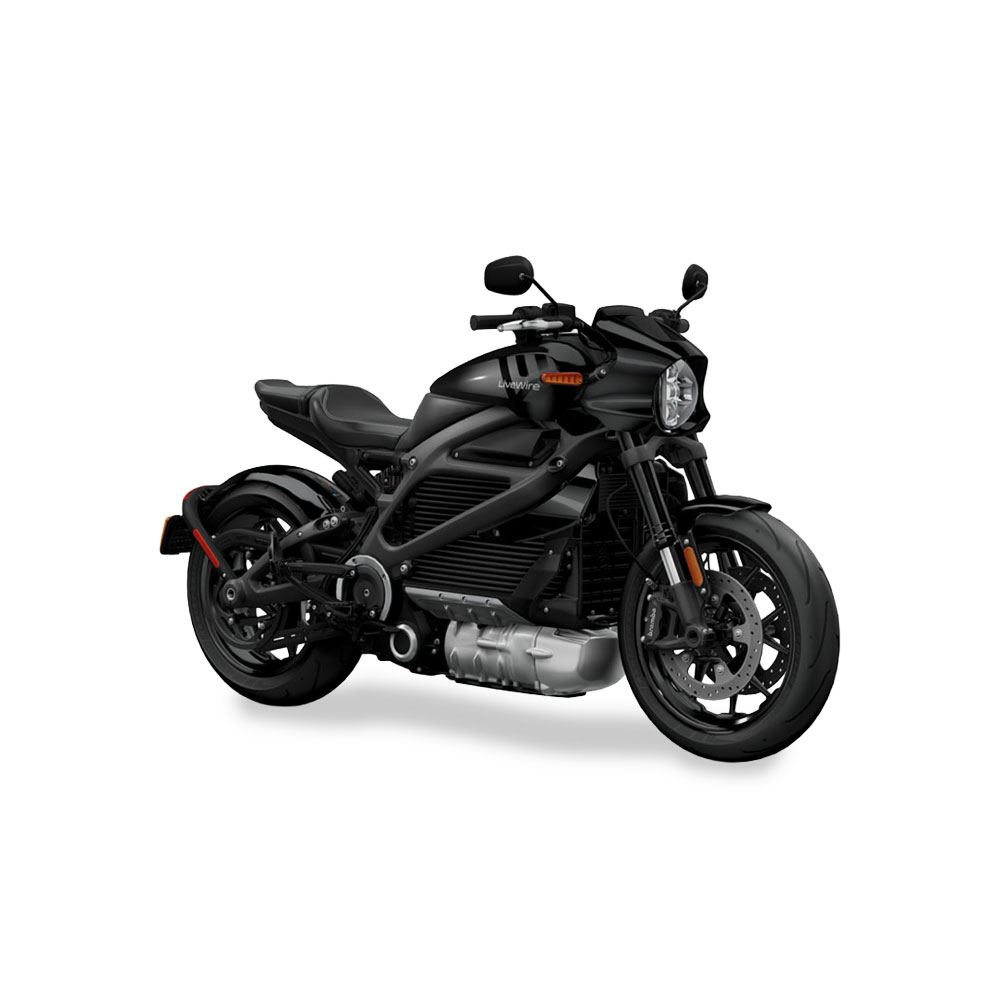
To give the platform a premium brand atmosphere, I transformed a static motorcycle studio photograph into a perfectly looping, ambient background video using a multi-prompt generative pipeline across Claude, Gemini, and Kling AI.
I replaced Power BI with a custom web App Shell featuring grouped navigation, tab favoriting, and a user-controlled background dimmer.
By decoupling dashboard widgets into grouped tab categories, allowing operators to pin favorite views, and adding an opacity dimmer slider for the AI-generated video background, I created a tailored monitoring environment balancing high-impact branding with zero-distraction legibility.
The Redesigned
Application
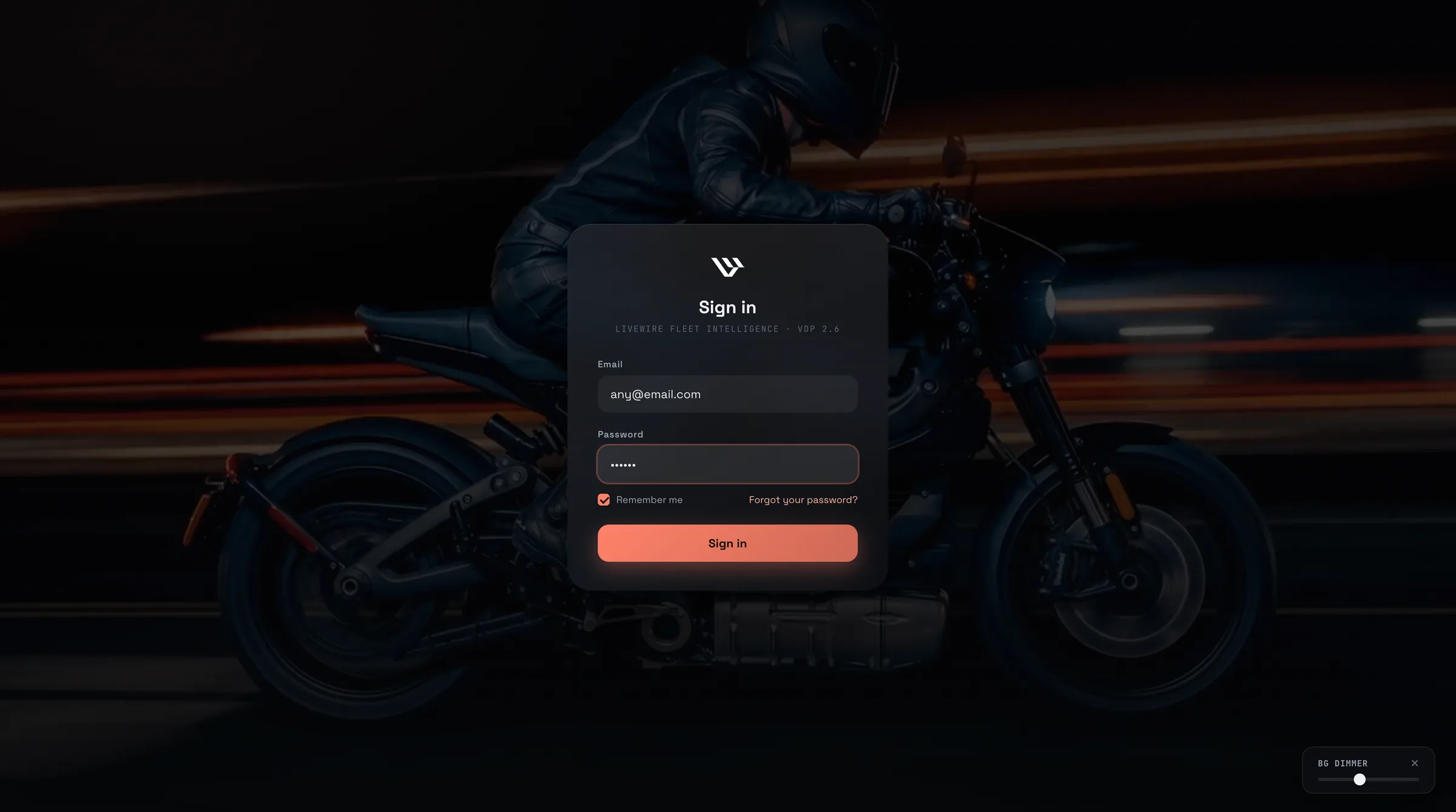
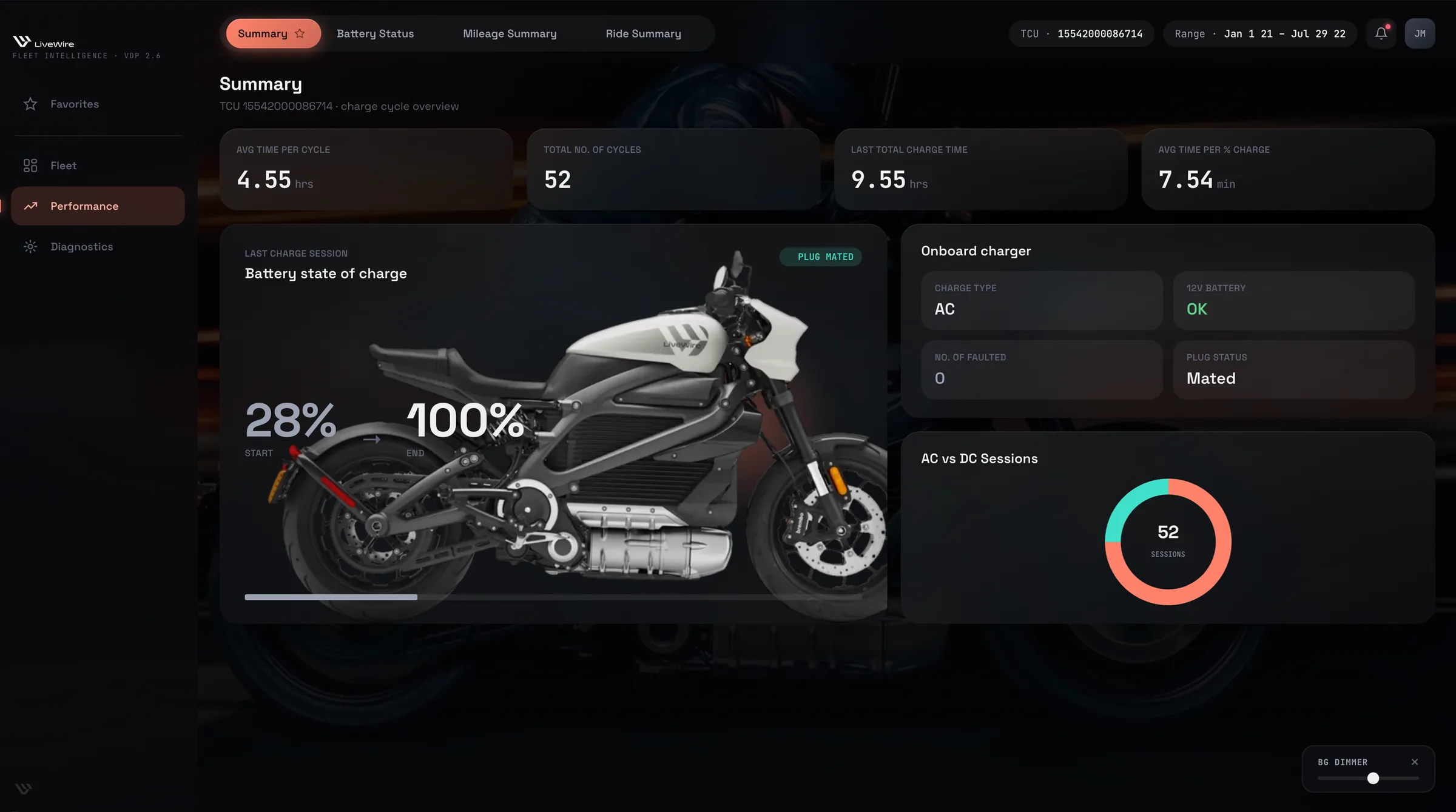
The final system powers a working, interactive web application, featuring an authenticated sign-in flow, grouped navigation tabs with favoriting logic, interactive Chart.js widgets, and a background dimmer control. All screens draw from the dedicated Livewire Design System.
Livewire Design System
& Component Tokens
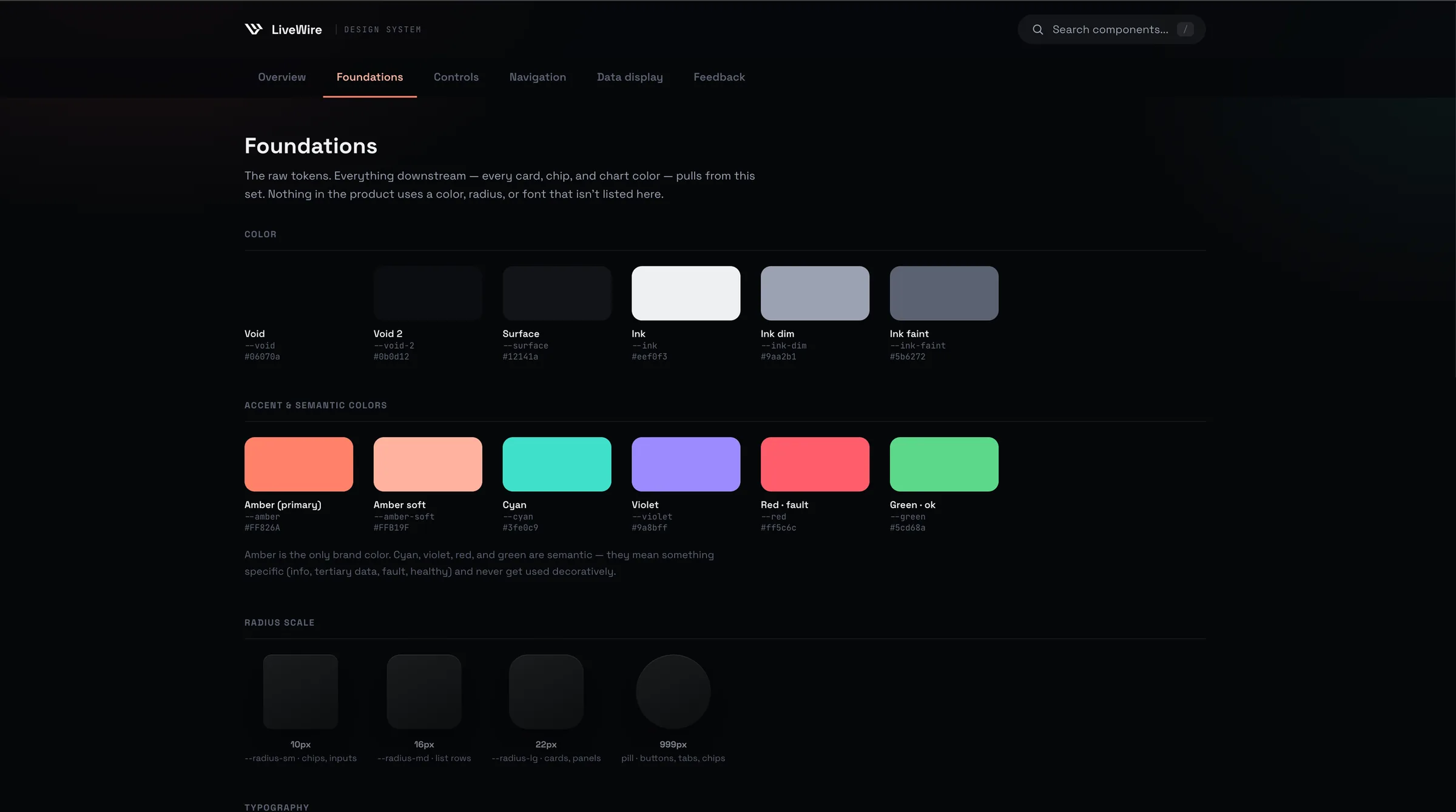
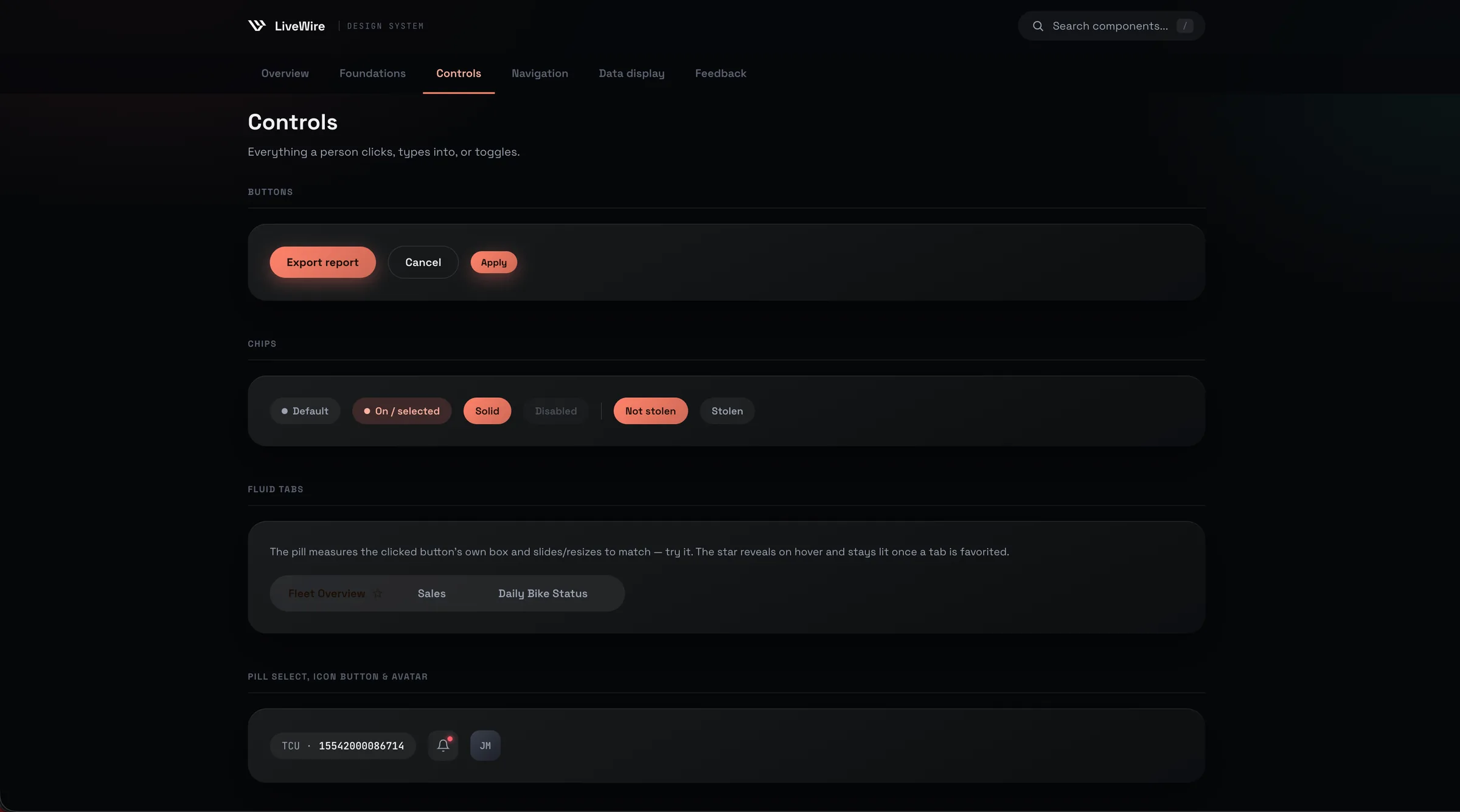
To support ongoing scalability and maintain UI consistency, I authored a comprehensive design system covering color palettes, typography scales, card container classes, and interactive component specs.
System & Technical
Execution
Detailed breakdown of how the UI design, AI video pipeline, component tokenization, and frontend implementation were structured and shipped.
Starting from a raw studio photograph of the Livewire motorcycle, I engineered prompt sequences across Claude and Gemini to define camera motion, lighting trajectories, and environmental speed effects. The motion sequence was rendered using Kling AI to produce a seamless, perfect loop video for the dashboard background.
Replaced flat Power BI tabs with structured category groups in the left sidebar. Users can pin frequently accessed tabs to a dedicated "Favorites" section at the top of the navigation, saving custom layout preferences in client-side state.
Built a custom opacity dimmer control that adjusts the alpha overlay of the background video in real time. Users can dial down the video brightness or disable it entirely for a minimalist, high-contrast workspace.
Standardized card containers, status badges, and color tokens defined via CSS custom properties. View the live implementation at livewire-design-system.html.
Looking
Back
What Went Well?
Power BI to Custom SaaSSuccessfully migrated flat Power BI analytics into a high-performance web App Shell with grouped navigation and tab favoriting.
Generative AI Motion IntegrationCombining Claude, Gemini, and Kling AI enabled the creation of a high-end, perfectly looping video background directly from a single static product photo.
User CustomizationThe background dimmer slider provided instant accessibility control, ensuring branding never compromised chart legibility.
What Could I Have Done Better?
Automated CI/CD Contrast AuditingWhile contrast scales were manually calibrated during design, integrating an automated contrast-linter directly into the build pipeline would ensure automated compliance checks across all dynamic states.